How to use a build in Deadlock
A build is a list of items someone chose for a hero. Here is how to find one on LockMeta and get it into the game.
1Pick your hero
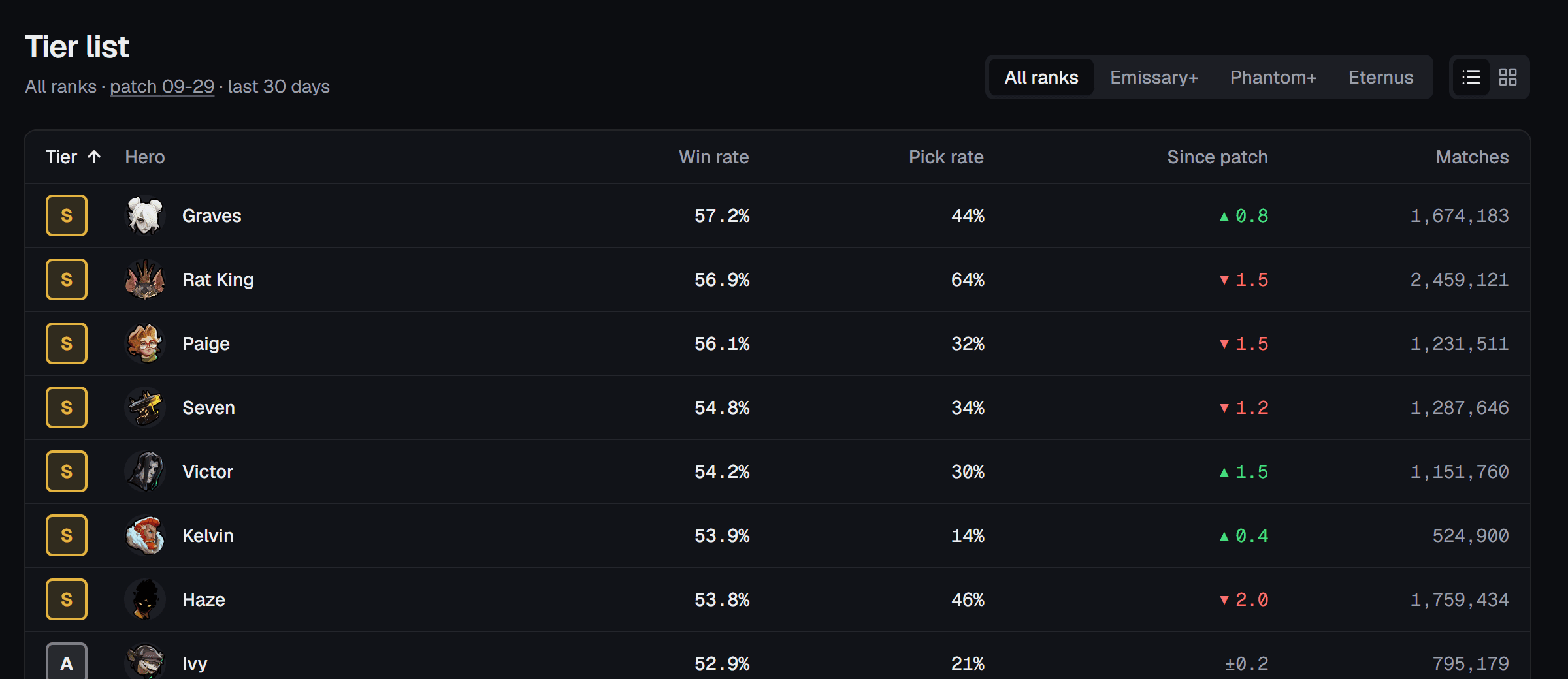
Pick a hero from the tier list, or search for one at the top of any page.
2Pick a build
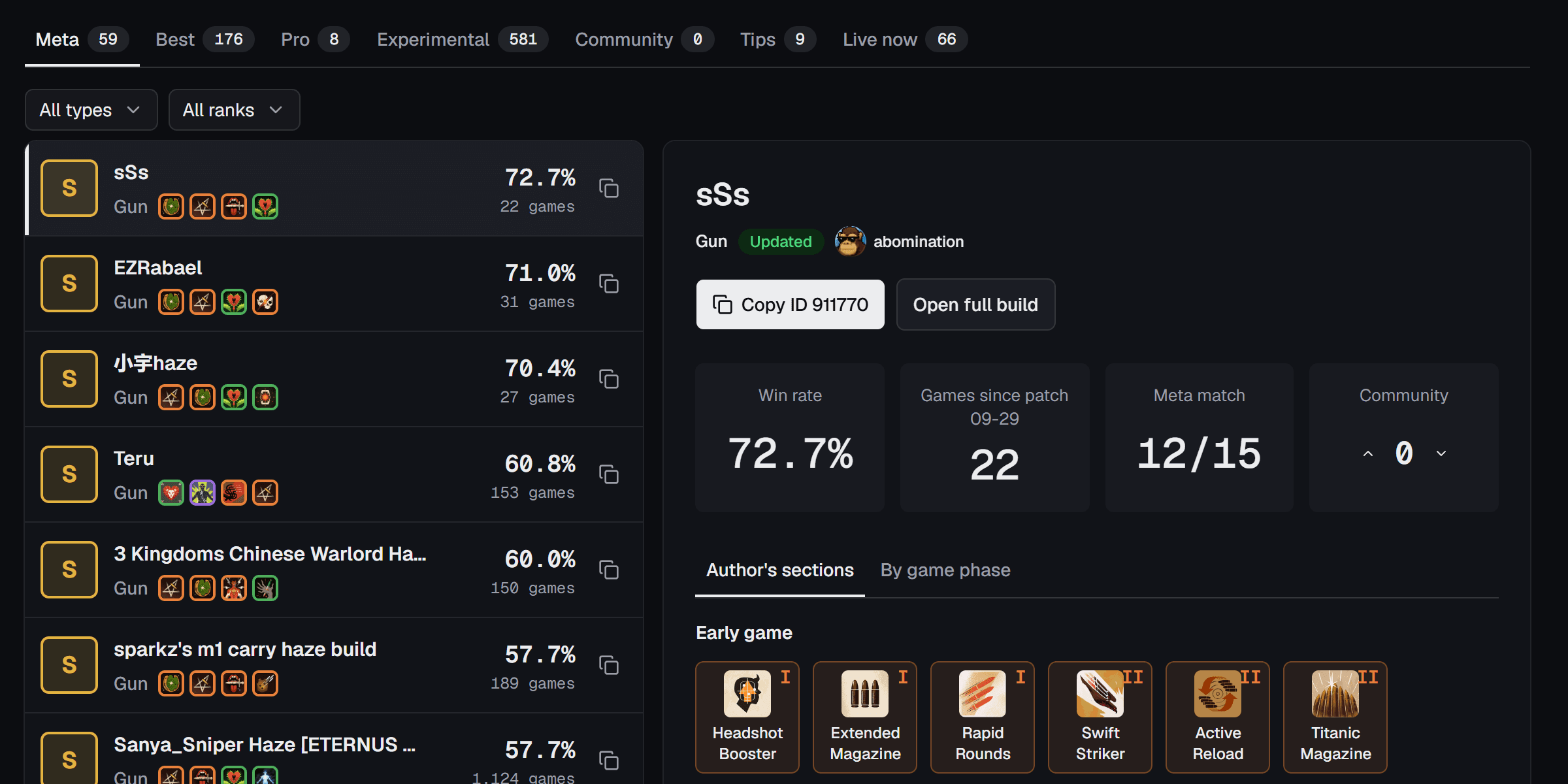
Each row shows the build's tier letter, its win rate and how many games that comes from. Meta builds are the safe pick: they hold most of what players of that hero buy. Best sorts every rated build by win rate.
3Copy the ID
Tap Copy ID on the build, or the copy icon beside the ID on a build page.

4Open Build Browser in Deadlock
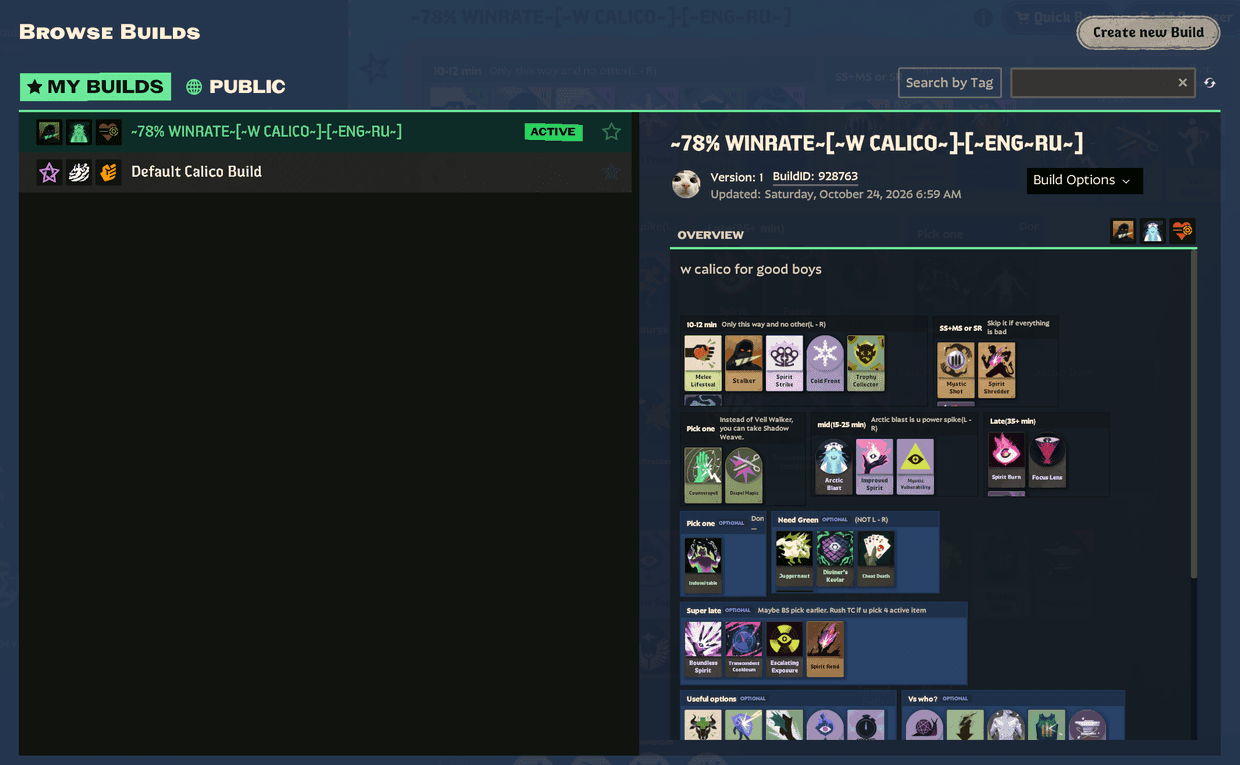
In the game, open Build Browser. It has Public and My Builds tabs, and a search box at the top right.
5Paste the ID
Paste the ID in the search box, then open the build that matches it. Playing on a PC and reading on a phone? Type the number in instead.
6Reading it in game
- Items are bought roughly left to right. You don't have to buy the whole row. When you can afford an item in the next tier up, move up.
- Lane, mid game and late game sort the items by when players of that hero usually buy them. The Timeline tab shows the same minutes on a line.
- The tier letter ranks a build against the hero's other builds, S being the best. Meta match (12/15, say) counts how many of the hero's 15 most-bought items the build has. It shows how close the build is to what most players run, not how good it is.
The full list of words and numbers is on About.
7When to change it
Items under Situational are the ones most players skip. Buy one when the other team has something it answers. Pick the enemy heroes on Counters and it shows which items to add and which builds already carry them.